
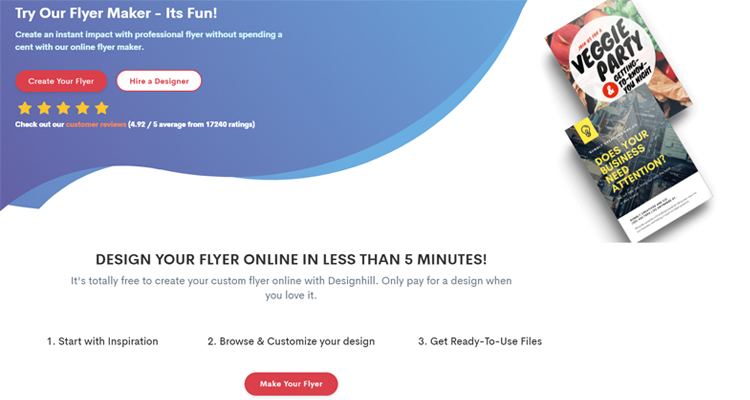
Whether you need to promote a weekend event, spread the word about a sale, or rally your community around a cause, designing a flyer from scratch can feel like a project reserved for professionals. The good news? It does not have to be. A new generation of online design tools has made it possible for anyone, regardless of design background or technical skill, to create polished, print-ready flyers in minutes. The secret is knowing where to look and how to work smarter with the resources already available to you.
Why Templates Are the Fastest Path to a Great-Looking Flyer
Templates exist for one reason: to give you a head start. Instead of worrying about layout, typography, color theory, or visual hierarchy, a good template handles all of that for you. All you have to do is swap in your own information and make it feel personal. This is a game-changer for anyone who has stared at a blank page and felt completely stuck.
The best flyer design resources offer not just a handful of templates, but thousands of them, organized by category, purpose, or industry. That kind of variety means you can find something that already feels close to what you need, rather than trying to bend a generic design to fit your specific situation. Event flyers, business promotions, real estate listings, school announcements, fundraisers, concert posters, and more all have their own visual language, and a well-organized template library reflects that.
When you start from a professionally designed template, you are not cutting corners. You are using a proven visual structure so you can focus on what actually matters: your message, your audience, and your call to action.
What to Look for in a Flyer Design Resource
Not all online flyer tools are created equal. If your goal is speed and simplicity, here are the features that separate truly useful resources from the ones that just add friction to your workflow.
A large, searchable template library. The more templates available, the more likely you are to find one that fits your needs right away. Look for a tool that lets you filter by category, theme, or color so you are not scrolling through hundreds of irrelevant options.
Drag-and-drop editing. You should not need to learn any software to make changes. The best tools let you click on any element, whether it is text, an image, or a graphic, and move or edit it immediately.
Built-in image and icon libraries. Having access to royalty-free photos, icons, and illustrations inside the tool means you spend less time hunting down assets and more time actually designing.
Easy download and sharing options. Once your flyer is finished, you should be able to download it in multiple formats, such as PDF for printing or PNG for digital use, without jumping through extra steps.
No design experience required. The best tools are designed for real people with real deadlines, not for graphic designers with advanced software skills. If the interface feels confusing within the first two minutes, it is probably not the right fit for a quick turnaround project.
8 Tips for Designing a Flyer Fast, Even If You Have Never Done It Before
1. Start With the Right Template Category
The single fastest move you can make is choosing a template that already matches your purpose. A birthday party flyer, a grand opening announcement, and a job fair poster all have different visual needs. Browsing within the right category saves you from having to redo work later. Spend two minutes up front choosing the right starting point and you will save ten minutes of editing later.
2. Lead With One Clear Message
The biggest mistake first-time flyer designers make is trying to say too much. A flyer is not a brochure. It has one job: to get someone to stop, read a single key message, and take one action. Before you touch any template, write down the one thing you want people to know or do. Let that message drive every design decision that follows.
3. Use the Headline as Your Hook
Your headline is the first thing people will see, and it needs to earn their attention instantly. Keep it short, direct, and benefit-driven. “Free Community Yoga Every Saturday” works better than “Yoga Class Schedule Information.” Bold, large text in a high-contrast color will make your headline impossible to miss, even at a glance.
4. Limit Yourself to Two Fonts
One of the fastest ways to make a flyer look cluttered and unprofessional is to use too many different fonts. A clean, readable design typically uses one font for headings and one for body text. Most templates already have this built in, so unless you have a strong reason to change the typography, trust the template’s font pairing and spend your energy on the content instead.
5. Try a Tool That Does the Heavy Lifting for You
One of the most accessible ways to make a flyer quickly is to use Adobe Express. When you make a flyer with Adobe Express, you start by selecting from thousands of professionally designed templates organized by purpose, whether that is a business promotion, a fundraiser, a real estate listing, a community event, or dozens of other categories. From there, the drag-and-drop editor lets you replace text, swap images, adjust colors, and upload your own logo without any design knowledge required. You can also tap into Adobe Stock’s built-in image library, apply one-click edits, and even use generative AI to create custom visuals or templates from a text prompt. Once your design is ready, you can download it as a PDF, JPG, or PNG, or, if you are in the US, UK, Australia, or Canada, order professionally printed copies delivered directly to you. It is a genuinely fast option for anyone who needs a great-looking flyer without the learning curve of traditional design software.
6. Stick to a Two- or Three-Color Palette
Color has enormous impact on how a flyer feels, but more is rarely better. A focused color palette, ideally two to three colors that complement each other, creates a sense of visual unity and makes your flyer easier to read. Most templates come with a coordinated palette already in place. If you need to adjust it to match your brand, change the accent color first and see how far that simple swap takes you before touching anything else.
7. Include a Specific Call to Action
Every effective flyer ends with a clear next step. “Register by Friday at eventbrite.com,” “Call us at 555-0100 to book your appointment,” or “Visit our table at the corner of Main and Oak” are all far more effective than a vague “Learn more.” Make the call to action large enough to read easily and place it somewhere it cannot be missed, typically near the bottom of the flyer with some visual separation from the surrounding text.
8. Resize Once, Share Everywhere
If you need your flyer in multiple formats, such as a printed version, an Instagram post, and a Facebook event banner, look for tools that allow you to resize your design with a single click. Recreating the same flyer multiple times for different dimensions is a time sink that most modern tools have already solved. Do this step last, after your content is finalized, so you are not re-editing the same information across multiple sizes.
How to Make Your Flyer Look Professional Without Professional Skills
Looking polished has less to do with creative talent and more to do with a few simple habits. Leave enough white space around your text so the design can breathe. Align your elements consistently so the layout feels intentional. Use high-resolution images so nothing looks blurry or pixelated when printed. And always read your flyer out loud before downloading it. You would be surprised how many typos survive multiple visual reviews but get caught the moment you say the words aloud.
Another underrated tip: look at your flyer at a small size before you finalize it. Shrink the preview down to thumbnail size and ask yourself if the main message and the call to action are still readable. If they are not, increase the font size or simplify the layout. Flyers often get viewed at a distance or on small screens, and a design that only works at full size is a design that is not working hard enough.
FAQ
Do I need any design experience to create a flyer online?
No design experience is needed to create a professional-looking flyer using modern online tools. Template-based design platforms are specifically built for people who have never worked with design software before. The entire process, from choosing a layout to downloading the finished file, is built around simple point-and-click interactions. Templates provide the visual structure, font pairings, and color combinations, so all you need to bring is your own content. Even something as simple as knowing your event name, date, location, and one action you want people to take is enough to get started and finish in under fifteen minutes.
What is the best file format to use when downloading a flyer?
The right file format depends on how you plan to use the flyer. For professional printing, PDF is the best choice because it preserves image quality, fonts, and layout at any size. For digital sharing, such as posting on social media, sending via email, or uploading to a website, PNG and JPG formats work well. PNG files tend to have sharper edges and better quality for graphics with text, while JPG files are smaller and faster to load online. Many tools let you choose your format at the time of download, so you can export the same design in multiple formats depending on where you plan to distribute it.
How do I make sure my flyer stands out in a crowded space?
Standing out comes down to contrast, clarity, and a compelling headline. High contrast between your text and background is the single most effective way to ensure readability, especially in physical spaces where lighting varies. A bold, specific headline that speaks directly to what your audience cares about will always outperform a generic one. Avoid trying to include every possible detail on the flyer itself. If people want more information, give them one clear place to go, such as a website or phone number. For community events and nonprofit promotions specifically, tools like Eventbrite can help you create a dedicated event page to link to from your flyer, giving interested people a place to learn more and register without cluttering the flyer itself.
Can I use my own photos and brand colors in a flyer template?
Yes, and doing so makes a significant difference in how professional the finished flyer looks. Most online flyer tools allow you to upload your own images directly into the template and replace the placeholder visuals with your own. You can also adjust the color palette to match your brand’s specific colors, often by entering a hex code if you know it. Some tools go further and offer a Brand Kit feature that stores your logo, fonts, and colors in one place so you can apply them consistently across every design you create. This is especially useful for small businesses, nonprofits, and schools that need to maintain a consistent visual identity without the help of a dedicated designer.
Is it possible to create a flyer that works for both print and digital use?
Absolutely, and planning for both from the start will save you time later. The key is to begin with a high-resolution design, typically at least 300 DPI for printed materials, so the quality holds up when the file is scaled. Keep your most important text and visuals toward the center of the design, away from the edges, so nothing gets cut off during printing. For digital versions, make sure any links, email addresses, or phone numbers are easy to read at smaller display sizes. Many online tools include a one-click resize feature that lets you adapt the same design to different dimensions, such as a standard 8.5×11 print layout and a square social media post, without rebuilding the design from scratch.
Conclusion
Creating a great flyer no longer requires a design degree, expensive software, or hours of your time. With the right resource and a library of thousands of professionally designed templates at your fingertips, the hardest part is simply deciding which starting point fits your message best. Focus on a clear headline, a single call to action, and a clean layout, and let the template handle the visual heavy lifting.
Whether you are promoting a business, organizing a community event, or putting together a last-minute announcement, the tools available today make fast, polished flyer design genuinely accessible to everyone. Start with a template, make it your own, and get your message out into the world.